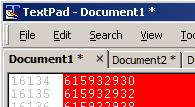
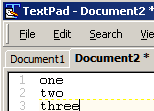
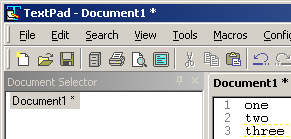
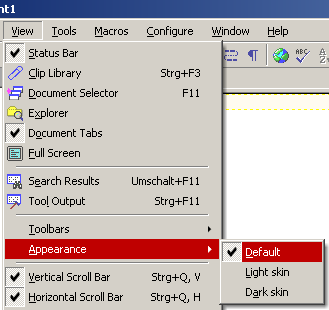
With previous versions (4, 5, 6.1.3) I didn't have such blurred tab captions. As you can see: everything else (window caption, window menu, editor text) is sharp and precise, without forcing anti-aliasing. I searched the options and found nowhere a setting to turn this off. Happens with all 3 appearances/styles of Textpad.
Either there should be a setting, or Textpad should care about the system settings, as this is clearly (word play) less good to read.
MudGuard wrote:I can't see any difference in the tab heads - I even enlarged both pictures, and still don't see any difference ...
They're not supposed to show a difference. Both are wrong. Read the text after both pictures: previous branches (like versions 6, 5 and 4) were not using anti-aliased (i.e. blurred) display. This screenshot shows 6.1.3 which uses a sharp displayed caption on the tab head - compare that with the two previous ones:
Summary:
Version 8.0.2: blurred tab heads, while every other text is sharp. (Why? And why only that?)
Version 7.6.2: blurred tab heads, while every other text is sharp. (Why? And why only that?)
Version 6.1.3: every text is sharp, even the tab heads. (Just as expected)
MudGuard wrote:What do you mean with "all 3 appearences/styles of Textpad"?
That what has many different terms in Textpad:
No matter which skin you choose, it's all the same inconsistent behaviour.