Page 1 of 1
Copy-Paste-Problem
Posted: Fri Aug 30, 2024 10:01 am
by Wolfgang.Juchmes
Hey.
I am using Citrix GotoAssist to give remote support to my customers. Often I have to copy text from my TextPad9 (9.5.1) to the customers pc, but the doesn't work - I am not able to paste something to the customers pc, that was been copied from Textpad. Copying from Windows Notepad works fine, even though from other applications. It's just TextPad that doesn't work. Tried also with TextPad8 and TextPad7 with the same result.
Help please...

(Woly)
Re: Copy-Paste-Problem
Posted: Fri Aug 30, 2024 12:39 pm
by AmigoJack
Wolfgang.Juchmes wrote: Fri Aug 30, 2024 10:01 amcopy text from my TextPad
...
Copying from Windows Notepad
How? Pressing
Ctrl+C? Pressing
Ctrl+Ins? Choosing
Edit > Copy from the window menu?
Wolfgang.Juchmes wrote: Fri Aug 30, 2024 10:01 amnot able to paste something to the customers pc
- How? Pressing Ctrl+V? Pressing Shift+Ins? Choosing Edit > Page from any window menu?
- Where? What are the target applications? Does their clipboard even have content then (i.e. the window menu item Paste is available at all)?
Wolfgang.Juchmes wrote: Fri Aug 30, 2024 10:01 amTried also with TextPad8 and TextPad7 with the same result.
Which same result? That of TextPad 9 (failure) or that of other software (success)?
Re: Copy-Paste-Problem
Posted: Fri Aug 30, 2024 2:55 pm
by bbadmin
Are you copying from TextPad in block mode? Do you have any problems copying from TextPad and pasting into other applications on the same PC?
There's a handy free utility called
InsideClipboard which displays a list of all formats that are currently in the clipboard. Other than block mode, it shows the same results for TextPad as Notepad:

- clipboard.png (45.98 KiB) Viewed 9257 times
I can't think of any reason why Citrix GotoAssist should distinguish between them. Please let us know if your results are different.
Re: Copy-Paste-Problem
Posted: Wed Sep 11, 2024 3:48 pm
by Wolfgang.Juchmes
Copy by
Pressing Ctrl+C? Pressing Ctrl+Ins? Choosing Edit > Copy from the window menu?
Doesn't make any difference, tried each of theese options.
Pressing Ctrl+V? Pressing Shift+Ins? Choosing Edit > Page from any window menu?
Doesn't make any difference, also tried each of theese options.
Which same result?
With the result of failure.
Where? What are the target applications? Does their clipboard even have content then (i.e. the window menu item Paste is available at all)?
Target application doesn't matter. Word, Browser, Cmd box, Runas window... Even in notepad I can't paste something. Remote clipboard stays empty or doesn't change its previous content when it should receive copied text from my local textpad.
I ran InsideClipboard on my local machine and copied some text from textpad and from notepad. InsideClipboard showed exact the same - just one small difference: When copying from notepad, the bottom line shows: "Besitzer/Owner: notepad.exe (4732)". When copying from textpad, the bottom line stays empty:
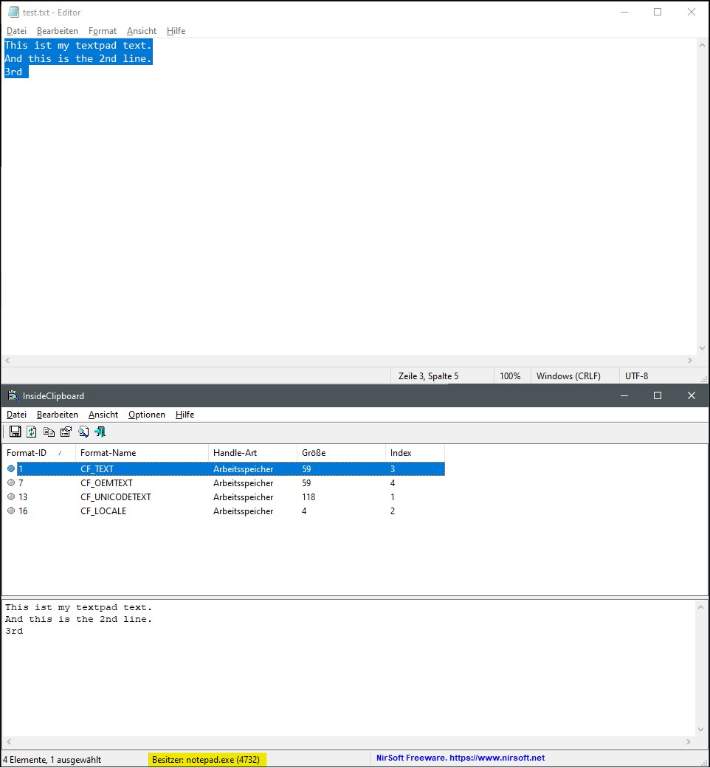
- when copying from notepad
- Screenshot 2024-09-11 173215.jpg (34.81 KiB) Viewed 9068 times
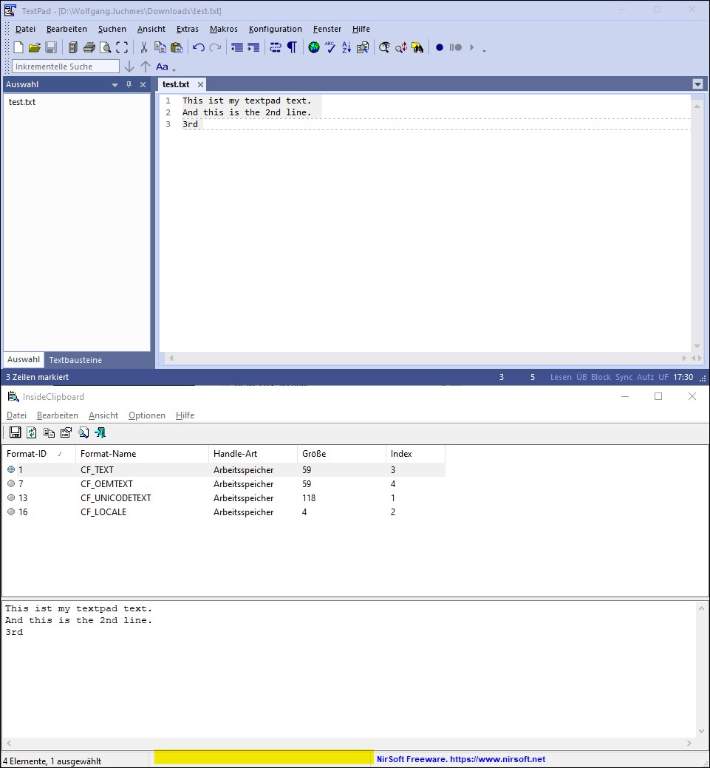
- when copying from textpad
- Screenshot 2024-09-11 173104.jpg (43.03 KiB) Viewed 9068 times
(Woly)
Re: Copy-Paste-Problem
Posted: Wed Sep 11, 2024 4:50 pm
by bbadmin
That's interesting. Is a policy set on your PC to prevent pasting from the clipboard when the ownership of its contents cannot be established?
Re: Copy-Paste-Problem
Posted: Thu Sep 12, 2024 6:11 am
by Wolfgang.Juchmes
There is not set such a policy.
Re: Copy-Paste-Problem
Posted: Thu Sep 12, 2024 1:55 pm
by AmigoJack
I bet there's some software which hooked into this (could be antivirus, anti-keyloggers, desktop firewall... just anything that wants to keep the user "safe"). Especially if it only happens with one customer.
Which (group) policies have you checked? As per
https://www.tenforums.com/general-suppo ... ost1389744 a couple of those exist; on Windows 7 I only found one for the Remote Desktop tool (and don't know how the English texts would look like in German):
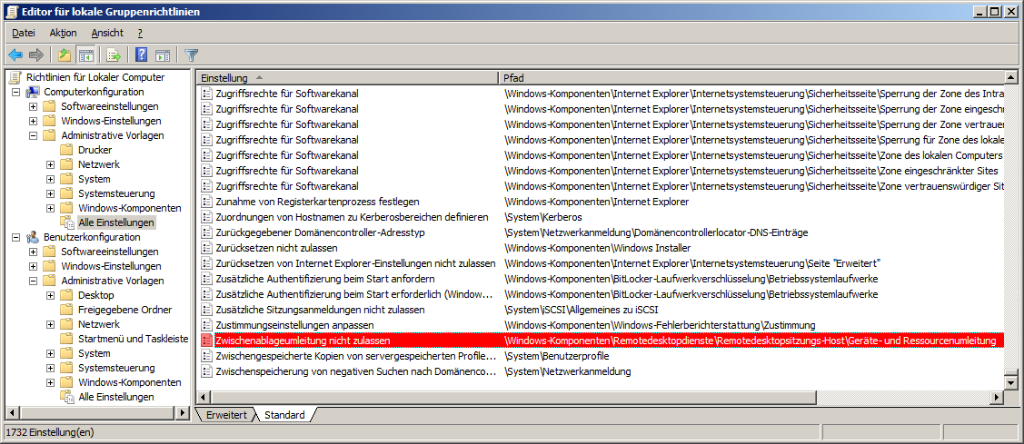
- group policies.png (309.18 KiB) Viewed 9034 times
Re: Copy-Paste-Problem
Posted: Thu Sep 12, 2024 2:57 pm
by bbadmin
I have established offline with Wolfgang that the lack of ownership of what TextPad puts on the clipboard is the cause of his issue. This will be fixed in the next release, but it would be interesting to know why.