TEXTPAD 8.1 AND WINDOW ISSUE FROM THE WINDOWS 10 TASKBAR
Posted: Wed Mar 02, 2022 12:42 am
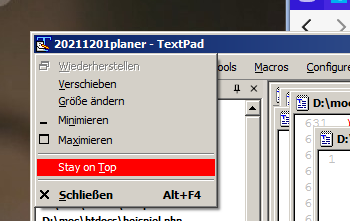
I have been using TEXTPAD 8.1 for several years with no issues. Today, I have an issue. I'm using Windows 10 Pro - 64 bit. I have consistently opened TEXTPAD from the Windows taskbar. I also open other apps from the taskbar as well e.g. Firefox, Windows explorer and EXCEL. Prior to today I have always been able to jump from one open window to another simply by clicking the app's ICON on the taskbar. However, now when I open a TEXTPAD window to view a file, I can no longer jump to another app. When I click on the app's ICON nothing happens in the foreground, TEXTPAD 's open window remains. The only way I can get around the issue is to minimize the TEXTPAD window and from that point on I can jump from app to app as long as it is notTEXTPAD. As soon as I click on it I'm back in the same situation as I mentioned previously. I've tried unistalling and reinstalling TEXTPAD but no luck.. So, at this point I'm stuck, not totally stopped but to continue like this will be a super pain... Hopefully someone may have a suggestion for me to try... thanks Brian