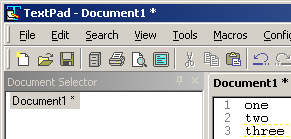
7.6.2 & 8.0.2: unwanted anti-aliased text on tabs
Posted: Sun Oct 30, 2016 10:12 pm
My system: Win7x64 without any theme/style.
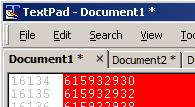
Textpad 7.6.2 looks like this:
Textpad 8.0.2 looks like this:
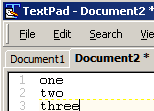
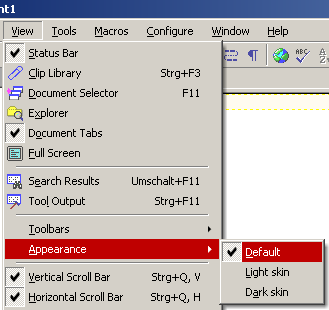
With previous versions (4, 5, 6.1.3) I didn't have such blurred tab captions. As you can see: everything else (window caption, window menu, editor text) is sharp and precise, without forcing anti-aliasing. I searched the options and found nowhere a setting to turn this off. Happens with all 3 appearances/styles of Textpad.
Either there should be a setting, or Textpad should care about the system settings, as this is clearly (word play) less good to read.
Textpad 7.6.2 looks like this:
Textpad 8.0.2 looks like this:
With previous versions (4, 5, 6.1.3) I didn't have such blurred tab captions. As you can see: everything else (window caption, window menu, editor text) is sharp and precise, without forcing anti-aliasing. I searched the options and found nowhere a setting to turn this off. Happens with all 3 appearances/styles of Textpad.
Either there should be a setting, or Textpad should care about the system settings, as this is clearly (word play) less good to read.