Page 1 of 1
Trouble with Hi-res display
Posted: Sat Aug 13, 2016 8:29 pm
by miked
I'm on Textpad 8.0.2. I've been given a laptop upgrade at work and it has a ridiculously over-specced 4K screen (recommended resolution 3840x2160) I can't use textpad at this resolution as the document selector, clip library etc. isn't readable. Not a problem for me as It seems fine when I change the resolution to 1920x1080. This is just a 'heads up' for Helios that they will need to address this before these screens become the norm.
Posted: Mon Oct 17, 2016 10:21 am
by margotbean
I can't read the clip library at 1920x1080 (native resolution) because it's RIDICULOUSLY small.

Posted: Thu Nov 03, 2016 2:10 pm
by AmigoJack
Are you guys serious? Window menus are part of
Windows, not the programs. Even if
Textpad would "solve" it for you, you'd still have the very same problem with i.e.
Notepad,
Notepad++,
Calc,
Explorer... (this is ridiculous, just add any software that comes to your mind).
You'd have to change
Windows settings, not those per program:
Google images search Windows DPI
Oh, and I have no problem reading
Textpad in 1920x1080 with 100% DPI.
Posted: Wed Nov 16, 2016 3:31 pm
by Nick
The new font in the document selector and clip libraryis bigger, bolder but less legible and absolutely hideous on 1920x1080! A definite step backwards.
Can we revert to the previous one OR have the option to change it?
Posted: Tue Nov 29, 2016 1:51 am
by cslepage
Nick wrote:The new font in the document selector and clip library is bigger, bolder but less legible and absolutely hideous on 1920x1080! A definite step backwards.
Can we revert to the previous one OR have the option to change it?
I have a 1920x1080 resolution on my laptop, and I have to agree with your description of the new clip library font. I'd like the option to choose the font and font size.
Posted: Tue Nov 29, 2016 9:10 pm
by bbadmin
The Document Selector & Clip Library use the default system font for captions, menus, etc (normally Segoe UI), reduced in height by one point size. This is perfectly legible on Windows 7 at 1280x1024 and Windows 10 at 3000x2000, with default scaling.
We don't have a device with 1920x1080 resolution, so could somebody post a link to a screen dump of TextPad 8.1 running on one (or email it to support), and state the version of Windows and what the scale factor is set to.
Thanks,
Keith MacDonald
Helios Software Solutions
Posted: Wed Nov 30, 2016 9:04 pm
by AmigoJack
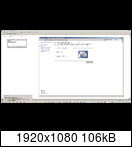
TextPad 8.1.0 running on Win7x64 in 1920x1080 with a DPI setting of 100%. As said before: I don't know the people's problem - the font is tiny, but still perfectly readible (just like the rest, except for the text on tabs, as I mentioned before in
7.6.2 & 8.0.2: unwanted anti-aliased text on tabs):
Posted: Thu Dec 01, 2016 10:40 am
by cslepage

TextPad 8.1.0 running on Win7x64 in 1920x1080 with a DPI setting of 100%.
Yes, the font can be read, but it's ugly, and larger than the font that was used before. I'd like to be able to choose the font type and size. Though, it sounds like I could alter both via the registry.
